FPV Simulator Setup: Practice Orbits & Split-S Before Buying Real Gear
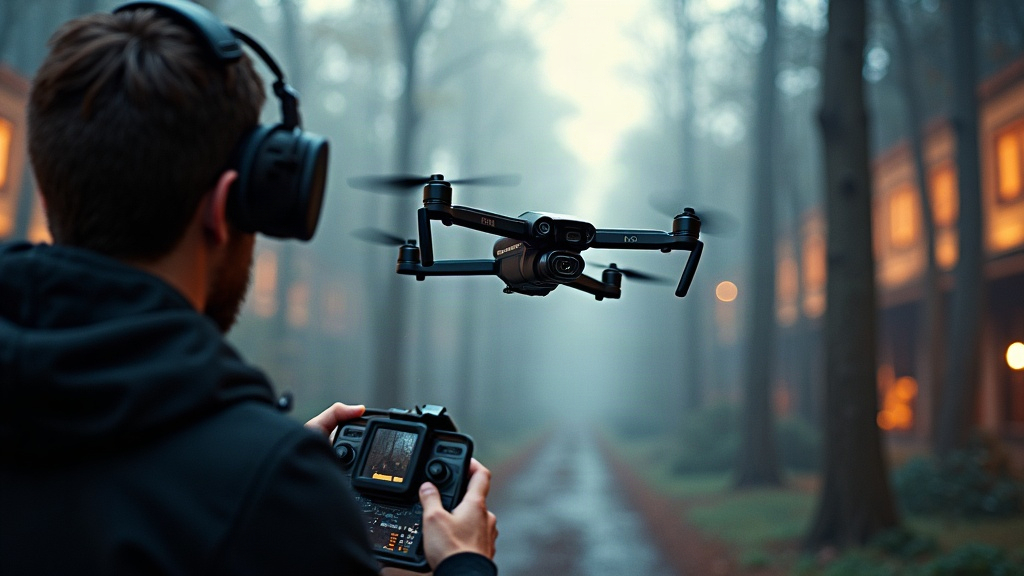
Setting Up an FPV Simulator to Practice Orbits and Split-S Before Buying Real Gear
Buying a real FPV drone as your very first move is probably the costliest mistake a new pilot can make. A decent 5-inch quad, goggles, radio, batteries, and a handful of spares will run you $600 to $1,200, and one hard crash can wipe out $50 to $150 in parts before you even hit the ground. Setting up an FPV simulator to practice orbits and split-S maneuvers before spending real money changes that math entirely: you get unlimited crashes for the price of a $20 to $40 software license. This guide covers the full setup, plus a concrete training plan for two of freestyle flying’s most satisfying (and most crash-prone) moves: the orbit and the split-S.
Why a Simulator Comes First
Real-world FPV has a brutal learning curve, no way around it. In a simulator, though:
- Crashes cost nothing. No broken props, no bent arms, no burnt motors.
- Resets are instant. You’re airborne again in two seconds instead of spending twenty minutes with a soldering iron.
- You can isolate one skill at a time. No wind, no shaky nerves, no pressure of watching your only quad tumble into a bush.
- Muscle memory transfers almost 1:1. The stick movements you drill in sim carry straight over to a real radio.
Pilots who log 15 to 20 hours in a sim before their first real flight tend to take off, fly a clean lap, and land without drama. Those who skip that step often chew through their entire spare-parts box in the first week.
What You Need to Get Started
Here’s the good news: you probably already own most of this.
- A game controller or radio. An Xbox or PlayStation controller will get you flying on day one, but a real radio transmitter (or a $60–$100 radio-style controller like the Radiomaster Pocket or BetaFPV LiteRadio) is a much better investment, since the gimbal feel matches actual flight hardware.
- A computer. These sims aren’t demanding. A mid-range laptop with a dedicated GPU will push 60+ fps without breaking a sweat.
- A simulator. More on picking one below.
- Optional: your future goggles. Some sims can stream over HDMI straight into FPV goggles, which is a great way to get used to that low-res, tunnel-vision feeling before you ever fly for real.
Choosing the Right Simulator
Pick one and commit. The physics differences between sims matter far less than just putting in consistent stick time.
| Simulator | Best For | Price |
|---|---|---|
| Velocidrone | Most realistic physics, racing focus | ~$20 |
| Liftoff | Freestyle, huge community, easy menus | ~$20 |
| DRL Simulator | Beginner-friendly tutorials | ~$20 |
| Uncrashed | Gorgeous freestyle maps, forgiving physics | ~$25 |
| Tryp | Stunning open-world maps, cinematic flying | ~$25 |
For orbit and split-S drills specifically, Liftoff or Uncrashed stand out. Their freestyle maps give you plenty of tall structures to circle and open gaps to dive through.
Step-by-Step Simulator Setup
Don’t skip straight to maneuvers. Get your settings right first, because bad rates and a wrong camera angle will bake in habits you’ll have to unlearn later.
- Bind your radio in the controller menu, then calibrate the sticks so full deflection actually registers as full input.
- Set your rates. Start moderate, around 500-600 deg/sec on roll, pitch, and yaw, with light expo (0.20-0.30) so stick-center feels soft and controllable.
- Set the camera angle to 25-30°. That’s the freestyle sweet spot. Go too flat (10°) and split-S dives feel awkward; go too steep (45°) and you’ve basically built a racing rig.
- Choose a 5-inch freestyle quad from the sim’s build menu. It’ll match the weight and handling of whatever you end up buying in real life.
- Turn on acro (manual) mode right away. Skip self-leveling assist modes entirely; they teach reflexes you’ll just have to strip out later.
How to Practice Orbits
An orbit is simply flying a circle around a fixed object while keeping your camera locked on it. Nail this and you’ve got the foundation of cinematic flying.
- Pick something tall and obvious to circle, a lighthouse, a tree, a tower, whatever the map gives you.
- Fly a slow loop around it, using yaw to keep the object centered in frame and roll to hold your radius.
- Blend yaw and roll together. The classic rookie mistake is yawing all the way, then rolling all the way, which produces a jerky square instead of a smooth circle. It should feel like one continuous motion, not two separate ones.
- Start wide, then tighten up. Begin at roughly a 10-meter radius and pull the circle in tighter as your control improves.
- Fly it both ways, clockwise and counterclockwise. Nearly everyone has a weak direction; drill it on purpose instead of avoiding it.
Aim for a full minute of smooth, uninterrupted orbiting before you consider the drill done.
How to Practice the Split-S
A split-S is a half-roll into an inverted dive, pulled back through into level flight, headed the opposite way. It’s the go-to move for dropping through a gap and reversing direction fast.
- Gain altitude first. Start at least 20-30 meters up; this maneuver eats height fast, and you don’t want to run out of it mid-dive.
- Roll 180° in one smooth half-roll so the quad ends up inverted.
- Pull pitch back to arc the drone downward and around into the dive.
- Level out by releasing pitch as the half-loop completes, now flying the opposite direction from where you started.
- Practice over open ground first, before you point it at an actual gap. Misjudged split-S entries are, by a wide margin, the number one cause of face-planting into dirt.
The most common beginner error is rolling too slowly. The quad loses orientation halfway through and dives off sideways instead of straight down. Roll crisply, commit to the pitch pull, don’t hesitate.
A Two-Week Training Plan
Short daily sessions beat one long weekend grind, every time. Something like this works well:
- Days 1-3: 30 min/day — basic turns, altitude control, and clean landings in acro mode.
- Days 4-7: 30 min/day — orbits in both directions, around at least three different objects.
- Days 8-11: 30 min/day — split-S entries over open ground first, then through a wide gap.
- Days 12-14: 30 min/day — start chaining them together: split-S into an orbit, orbit into a split-S.
By around hour 10 to 12, most people can string these moves together smoothly and are genuinely ready to touch a real quad.
When Are You Ready for Real Gear?
You’re ready once you can complete, in the simulator, three consecutive laps that include an orbit and a split-S without crashing, flying a 5-inch quad in acro mode. That’s the bar, no fudging it. Most pilots hit that mark after 10 to 15 focused hours, which is a small time investment against the money you’ll save on replacement parts down the road.
Conclusion
Setting up an FPV simulator to practice orbits and split-S before buying real gear is arguably the single best decision a new pilot can make. For roughly the cost of one spare motor, you get unlimited crashes, faster skill growth, and enough confidence to fly your first real quad without trashing it on day one. Dial in your rates, pick a solid freestyle map, and put in two focused weeks. Your wallet, and your drone, will both thank you for it.