How to Build a DIY FPV Drone with a 3D-Printed Frame Under $150
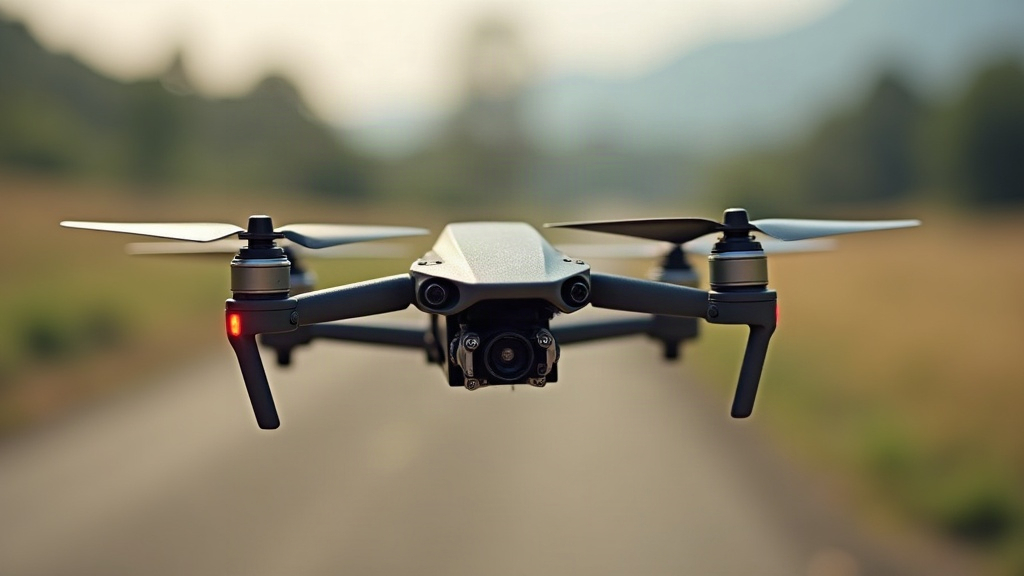
Building your own FPV drone is hands-down the fastest way to actually understand how these machines work, and a 3D-printed frame is the cheapest, most repairable way to get started. In this guide, you’ll learn how to build a durable, freestyle-capable micro FPV drone with a 3D-printed frame for under $150 (drone only, goggles and radio not included), plus a full parts list, printing advice, and a step-by-step build walkthrough.
Why a 3D-Printed Frame Makes Sense
A ready-made carbon fiber frame runs $25 to $60. Print your own and that number drops to $2 to $5 in filament. When you crash (and you will), you reprint the broken arm for pennies instead of waiting three days for a replacement to ship. There’s also a learning benefit nobody talks about enough: designing or even just choosing a frame forces you to think about motor mounting, arm angles, and component layout as actual decisions instead of things a manufacturer already solved for you.
The trade-off is durability and vibration. Carbon fiber is stiffer and lighter, so printed frames really shine in the micro “toothpick” class (2.5 to 3.5 inch props), where the whole aircraft is light enough that crashes stay survivable.
What “Under $150” Actually Covers
Let’s be upfront about the budget. The drone itself, meaning frame, electronics, motors, and battery, comfortably fits under $150. But goggles and a radio transmitter are separate purchases, and honestly, that’s where most people get sticker shock in FPV.
- Budget goggles: Eachine EV800D ($90 to $110), or a used pair off a local Facebook group.
- Budget radio: RadioMaster Pocket ELRS ($65), or a secondhand FrSky/BetaFPV unit.
- One-time extras: battery charger ($30 to $60), spare props, spare batteries.
If you already own goggles and a radio, this build really is under $150. If not, treat the drone as purchase one and build out the rest over the following months.
Complete Parts List (Under $150)
Here’s a realistic, currently-available bill of materials. Prices shift a bit depending on the retailer (AliExpress, GetFPV, RaceDayQuads, Pyrodrone).
| Component | Recommended Part | Est. Cost |
|---|---|---|
| Frame | 3D-printed (your own) | $3 |
| Flight controller + ESC | Happymodel X12 AIO (whoop AIO) or JHEMCU GHF411AIO | $45 |
| Motors (4×) | 1103 or 1404, 4500-6500KV | $45 |
| Camera + VTX | Caddx Ant Nano + whoop VTX, or RunCam Nano | $30 |
| Receiver | ELRS SPI or external EP2 | $15 |
| Props (2 sets) | 3” or 3.5” triblade | $6 |
| Battery | 2S-3S 450-650mAh LiPo | $16 |
| Hardware | M2 screws, standoffs, silicone wire | $5 |
Approximate total: $165. Drop the motors down to 1103 6000KV and go with a basic whoop VTX board, and you land right around $145.
Choosing Your Frame Design
You’ve got three realistic paths here:
- Download a proven design from Thingiverse, Printables, or MakerWorld. Search “3D printed FPV toothpick frame” or “micro quad frame.” Favor files with high print counts, active remixes, and comments specifically mentioning crash survival, not just “looks cool.”
- Remix an existing design in Fusion 360 or Tinkercad to fit your particular stack and camera size.
- Design your own once the basics click, keeping the wheelbase square, arms equal in length, and motor mounts flush with the arm surface.
Filament Choice Matters
- PETG or PA-CF (nylon-carbon): the best balance of stiffness, heat resistance, and toughness. PA-CF is the top pick if your printer can handle it, though you’ll need a hardened nozzle since the carbon fiber chews through brass in a hurry.
- PLA+/PLA Pro: fine for learning on, but it turns brittle in cold weather and can soften if it sits too close to a hot VTX board.
- TPU: way too flexible for arms, but genuinely excellent for camera mounts, antenna holders, and landing skids, basically anywhere that takes a direct impact.
Print Settings for Strong Arms
- 4 to 6 perimeter walls (the walls carry most of the bending load, not the infill)
- 40 to 60% infill, gyroid or cubic pattern
- 0.2mm layer height or finer
- Print arms flat so the layer lines run along the length instead of across the load path
- Add a brim so the thin arm tips don’t warp mid-print
Step-by-Step Assembly
1. Mount the AIO Flight Controller
Attach the flight controller/ESC board to the frame using soft-mount gummies or a thin foam pad. Vibration isolation matters a lot more here than on a carbon frame, since printed plastic is noisier by nature.
2. Solder the Motors
Route the motor wires through the arms, trim them to length, and solder to the ESC pads. Keep the wires twisted to cut down electrical noise, and double-check the motor order (front-right, rear-left, and so on) against your board’s diagram before you commit.
3. Mount and Wire the Camera and VTX
Secure the camera with a TPU mount, and keep the VTX antenna well clear of the prop arcs. Solder video (yellow), ground (black), and 5V (red) following the VTX manual. Never power up a VTX without the antenna attached, it will fry itself in seconds.
4. Install the Receiver
If you’re using an external ELRS receiver, solder RX to TX and TX to RX (crossed), plus 5V and ground. If your AIO board has a built-in SPI receiver, skip this step entirely.
5. Configure Betaflight
Flash the latest Betaflight firmware, then:
- Set the board orientation correctly (this matters a lot if your board sits at an angle inside the stack)
- Select your receiver protocol (CRSF for ELRS)
- Map the motor order and confirm each motor spins the right direction
- Set the gyro/PID loop to 8kHz / 4kHz
- Nudge the PID master multiplier down slightly (0.8 to 0.9) to compensate for frame flex
- Turn on RPM filtering (bidirectional DShot) if your ESCs support it
6. First Flight and Tuning
Start with a hover test over grass, not concrete. Printed frames flex more than carbon, so a bit of oscillation is normal, if you see jello or shaking, back off the P-term gain a notch. Keep the early flights short, expect to crash, and treat every reprinted part as part of the learning curve.
Common Mistakes to Avoid
- Skipping the antenna check on the VTX. Instant, expensive failure, no second chances.
- Flying on regular PLA in summer. Frames warp fast in a hot car or sitting near warm electronics.
- Over-tightening screws into printed plastic. Use heat-set inserts or slightly undersized pilot holes instead.
- Getting prop direction wrong. Two clockwise, two counter-clockwise, matched to motor rotation.
Conclusion
A 3D-printed FPV drone is the cheapest, most educational way into this hobby, period. For roughly $150 you end up with a fully flyable, endlessly repairable quadcopter, and along the way you pick up soldering, Betaflight tuning, and frame design skills that carry straight over to bigger carbon-fiber builds later. Grab a proven frame design, print the arms strong, and treat every broken part as a free lesson rather than a setback.