DJI Mini 3 vs Mini 3 Pro: Worth the Upgrade for Casual Flyers?
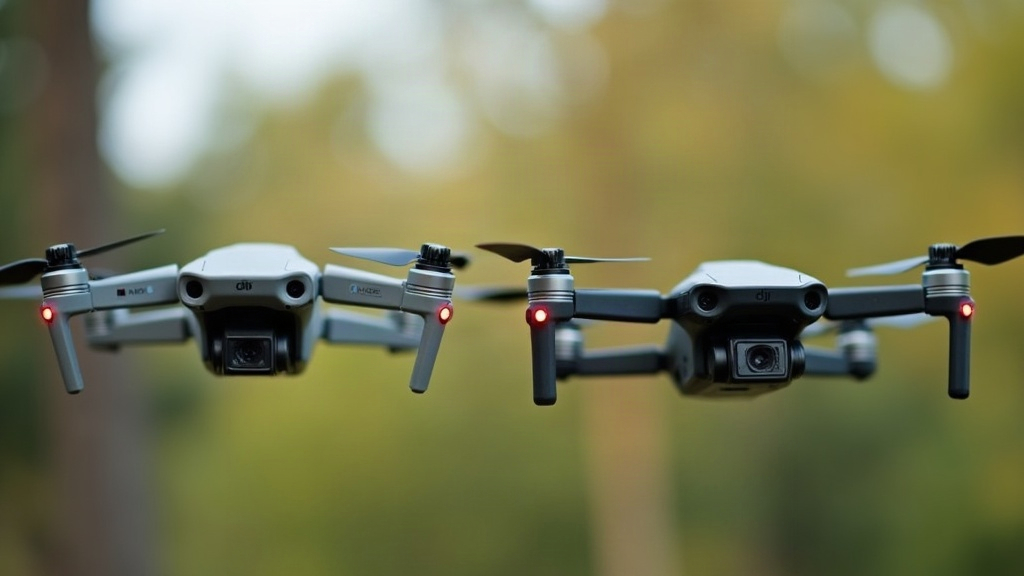
If you’re flying mostly in your backyard, local park, or on weekend trips, the short answer is simple: the DJI Mini 3 covers 90% of what casual flyers need, while the Mini 3 Pro is built for people who want obstacle avoidance, better footage, and room to grow into more advanced flying. Here’s the full breakdown, so you can decide without overspending.
Quick Overview: What’s Actually Different
Both drones share the same lightweight, sub-249g airframe, which means no drone registration hassle in many countries (always check local rules first, they change more often than you’d expect). But under the hood, the differences start piling up.
| Feature | DJI Mini 3 | DJI Mini 3 Pro |
|---|---|---|
| Obstacle sensing | None | Tri-directional (front/back/down) |
| Camera sensor | 1/1.3-inch | 1/1.3-inch (same, but better processing) |
| Video modes | 4K/30fps | 4K/60fps, D-Cinelike, 48MP RAW |
| Max flight time | ~38 min (standard battery) | ~34 min (47 min with Plus battery) |
| Transmission | OcuSync 3 (lite range) | OcuSync 3+ (longer range, 1080p live feed) |
| ActiveTrack subject tracking | No | Yes |
| Starting price | Lower | ~$250–300 more |
Camera Quality: Is It Really That Different?
Both drones use a similar sensor, so still photos in good daylight look comparable, almost indistinguishable at a glance. The Mini 3 Pro pulls ahead in a few specific areas:
- Low-light performance, cleaner footage at dusk or indoors
- 48MP RAW photos, more flexibility when editing landscapes
- True vertical shooting, the camera physically rotates 90°, great for Instagram Reels and TikTok without cropping
- D-Cinelike color profile, more room to color-grade if you edit video
For casual flyers just capturing family trips, birthday parties, or scenic backyard shots, the standard Mini 3’s 4K/30fps footage is genuinely good. You likely won’t notice much difference unless you’re pixel-peeping on a big monitor or shooting in tricky lighting, like a golden-hour shot with harsh shadows.
Obstacle Avoidance: The Real Deciding Factor
This is where the decision gets practical. The Mini 3 Pro has front, back, and downward sensors that detect obstacles and can auto-brake or reroute. The regular Mini 3 has none. Zero. If something’s in the flight path, you’re the only safety system.
Ask yourself a few honest questions:
- Do you fly near trees, fences, or buildings?
- Are you still learning stick control?
- Do kids or pets sometimes wander into your flying area?
If you answered yes to any of these, the Pro’s sensors are worth the price tag, think of it as an insurance policy against a $400+ crash into a tree branch. If you fly in wide-open fields or empty backyards with clear sightlines, you may genuinely never need them.
Flight Time and Range
Here’s a small surprise: the base Mini 3 with its standard battery actually lasts slightly longer per charge than the Mini 3 Pro’s standard battery. Buy the Pro with the Plus battery (Intelligent Flight Battery Plus) and you get closer to 47 minutes, but that pushes the drone over 249g, which may trigger registration requirements depending on where you live.
For most backyard flyers, 30 to 38 minutes per battery is plenty for a session anyway, especially if you grab a second battery and swap it mid-afternoon.
Who Should Buy the Standard Mini 3?
- First-time drone owners on a budget
- People flying casually in open spaces (parks, beaches, backyards)
- Anyone mainly taking photos or short clips for social media, not professional editing
- Buyers who want the lightest possible footprint and the simplest experience, charge it, launch it, fly
Who Should Buy the Mini 3 Pro?
- Flyers near obstacles (trees, power lines, buildings)
- Content creators who want vertical video, RAW photos, or ActiveTrack
- Anyone planning to upgrade skills and fly more complex routes over time
- Buyers who value the peace of mind that comes from having obstacle sensors watching their back
Price-to-Value Verdict
The Mini 3 typically runs noticeably cheaper as a standalone or combo, and for casual, careful flyers, it’s an excellent value pick, no question. The Mini 3 Pro’s roughly $250-300 premium buys you real safety features and creative flexibility, not just marketing fluff. But it’s an upgrade that only pays off if you’ll actually use the extra range, tracking, and sensors. Buying the Pro and flying it like a basic Mini is just money left on the table.
Final Take
For pure backyard and casual recreational flying with clear airspace, the DJI Mini 3 is the smarter buy. You save money and still walk away with crisp 4K footage. But if you fly anywhere near obstacles, want vertical content for social media, or plan to grow into more advanced shots down the line, the DJI Mini 3 Pro is worth stretching the budget for. Match the drone to your actual flying environment, not just the spec sheet on the box, and you’ll make the right call.