DJI Goggles 3 vs Goggles 2: Best FPV Spectator Mode for Groups?
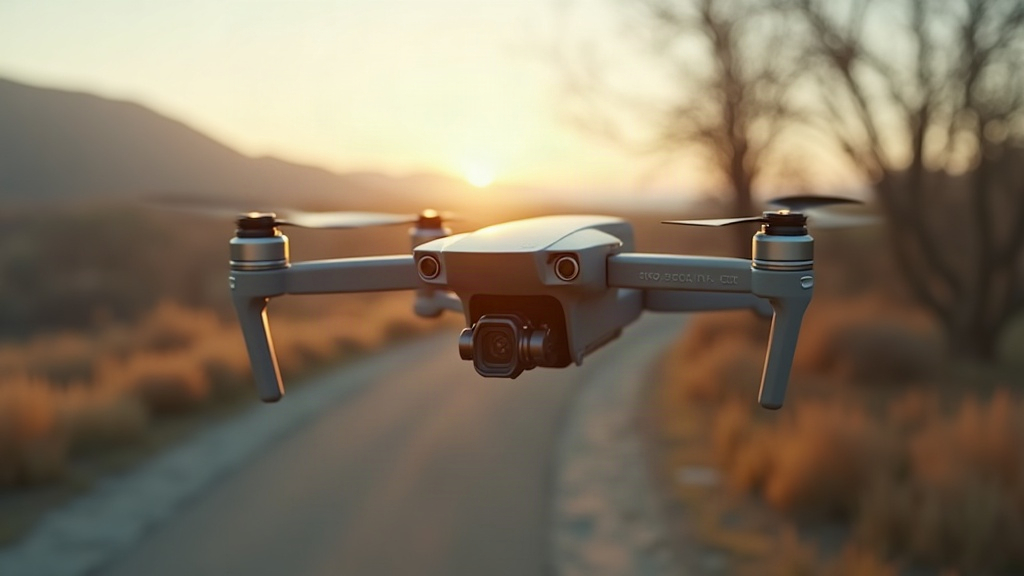
If you fly FPV with a group and want your friends to actually watch your feed live (not just hover over your shoulder squinting at a 2-inch screen), the choice between DJI Goggles 3 and DJI Goggles 2 really comes down to three things: how many people can spectate at once, how much lag they’ll put up with, and how comfortable the goggles feel after an hour of passing them around a field. Short answer: Goggles 3 wins on raw capability and multi-user flexibility. But Goggles 2 is still a smart, budget-friendly pick if your crew is small and you don’t need the extra horsepower.
Why Spectator Mode Matters for Group FPV
Spectator mode lets one or more extra headsets (or phones) receive the same video feed as the pilot, without touching the controls. It’s the difference between friends standing around squinting at a tiny screen on the remote and everyone getting a proper, synced, immersive view of the flight as it happens. For FPV meetups, racing nights, or just showing a buddy what freestyle actually feels like from the cockpit, this feature matters a lot. And DJI’s two goggle lines handle it quite differently.
DJI Goggles 3: Built for Bigger Groups
Goggles 3 is DJI’s current flagship headset, and it brings real upgrades for shared viewing sessions:
- O4 video system support. Pairs with newer air units (Avata 2, Neo) for lower latency, down to roughly 20-30ms in low-latency mode, and sharper 1080p/100fps transmission. Spectators notice this immediately; the feed just feels more “live.”
- Multi-device spectating. Multiple Goggles 3 units (or compatible Goggles N3) can join the same video link at once. That means 2-3 friends can get true FPV immersion instead of taking turns with a single headset like it’s a VR arcade machine.
- Improved comfort. Lighter build, better weight distribution, adjustable diopters built in. That matters more than people expect once someone’s been wearing them for 20+ minutes straight watching a session.
- Higher resolution micro-OLED screens. The quality jump is obvious outdoors in bright sunlight, where lower-res screens tend to wash out.
The catch? Goggles 3 costs more, and you only get the full spectator benefit if everyone’s hardware is compatible, meaning O4 air units or goggles. If your group is running a mix of older gear, you won’t see that latency advantage across the board.
DJI Goggles 2: Still a Solid Shared-Viewing Option
Goggles 2 isn’t obsolete by any stretch. It’s built around DJI’s O3+ system, a generation behind O4, but still plenty usable for casual group flying:
- O3+ compatibility. Works well with Avata, Avata 2 (in standard mode), and any FPV drone running O3 air units. Latency sits around 40-50ms typically, which most casual viewers genuinely won’t notice.
- Simpler single-spectator pairing. Quick to set up for the classic “here, put these on and see what I see” moment with one friend.
- Lower cost. If you’re kitting out a second or third headset for friends who only fly occasionally, used or bundled Goggles 2 units are considerably cheaper.
- Cheaper accessory ecosystem. Battery packs, head straps, antennas, all widely available and less expensive than Goggles 3 equivalents.
The downside: Goggles 2 can’t handle simultaneous multi-headset spectating as smoothly as Goggles 3’s expanded link setup, and when you put the screens side by side, the resolution gap is pretty obvious.
Head-to-Head: Quick Comparison
| Feature | DJI Goggles 3 | DJI Goggles 2 |
|---|---|---|
| Video system | O4 | O3+ |
| Typical latency | ~20-30ms | ~40-50ms |
| Multi-headset spectating | Yes, smoother | Limited |
| Screen quality | Higher-res Micro-OLED | Good, lower-res |
| Comfort for long sessions | Excellent | Very good |
| Price | Higher | More affordable |
| Best for | Groups of 3+, racing nights | Pairs, casual meetups |
Which Should You Choose?
- Go with Goggles 3 if you regularly fly with three or more people, want the lowest latency possible for that “actually in the cockpit” feel, and you’re already running O4-compatible drones like the Avata 2.
- Go with Goggles 2 if you mostly fly with one or two friends, want to keep costs down, or already own O3-compatible drones and don’t feel like upgrading the whole fleet right now.
Practical Tips for Group FPV Sessions
- Check everyone’s air unit generation before buying goggles. Mixing O3 and O4 hardware caps your spectator quality at the weaker link.
- Charge spectator headsets fully. Streaming to multiple devices drains batteries noticeably faster than solo flying does.
- Fly in open outdoor spaces when using spectator mode. Buildings and walls add lag no matter which goggles you’re wearing.
- Label channels and frequencies clearly if more than one pilot is flying nearby. Nobody wants a feed crossover mid-flight.
Final Verdict
For serious group FPV where low latency and multiple simultaneous viewers actually matter, DJI Goggles 3 is the smarter long-term buy. But if your flying squad is small and you’re watching your budget, DJI Goggles 2 still delivers a genuinely good, shared flying experience without draining your wallet. Match the goggles to your group size and whatever drone hardware you already own, and either option turns a solo flight into something the whole crew can enjoy together.