Troubleshooting a Quad That Won't Arm After a Betaflight Update
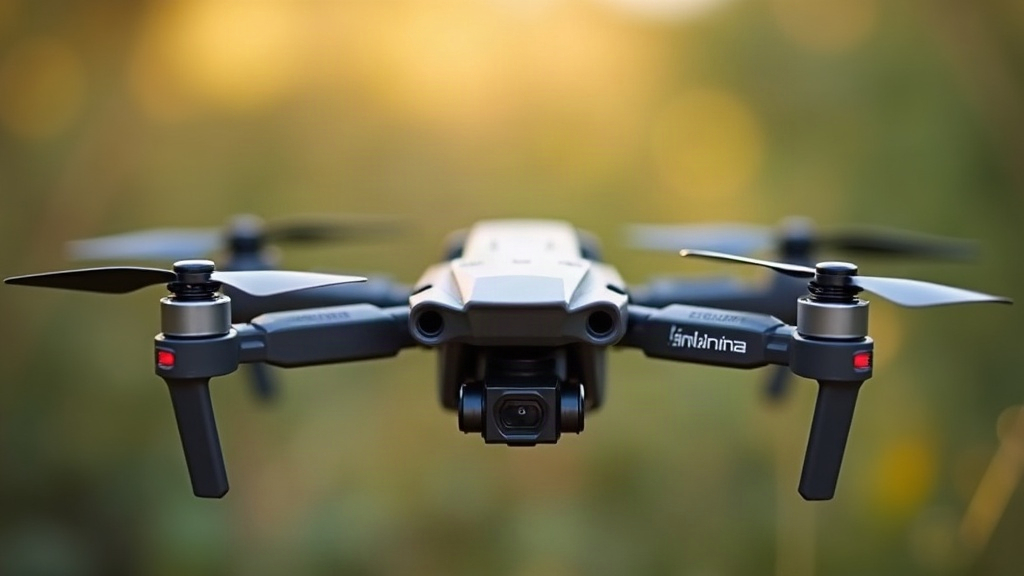
If your quad refuses to arm right after flashing a new Betaflight version, don’t panic and don’t assume you fried your flight controller. Nine times out of ten it’s a mismatched setting, a tripped safety flag, or something that got lost in the shuffle during the update. Here’s every common cause, in the order you should actually check them, so you’re not just guessing and rebooting over and over.
Why This Happens After Every Update
Firmware updates like to shuffle default values around, add new safety checks, or quietly drop settings that didn’t carry over cleanly through the diff process. And Betaflight is paranoid on purpose. It would much rather refuse to arm than let you launch with a dead sensor, a sagging battery, or a failsafe that isn’t actually configured. So after flashing, any one of these checks can suddenly block arming, even on a quad that flew perfectly the day before.
Step 1: Read the Arming Disable Flags
Before you touch anything else, plug into Betaflight Configurator, open the Setup tab, and look at the “Arming Disable Flags” readout. It will tell you, in plain text, exactly why the FC is refusing to arm. The usual suspects:
- ARMING_DISABLED_MSP - a configurator tab is sending MSP override commands. Unplug USB and try arming on battery power instead.
- ARMING_DISABLED_ANGLE - the quad isn’t sitting level. Harmless during bench testing, ignore it.
- ARMING_DISABLED_CLI - you’re still parked in CLI mode. Type
exitor just reboot the FC. - ARMING_DISABLED_CALIBRATING - accelerometer or gyro is still calibrating. Give it a few seconds.
- ARMING_DISABLED_LOAD - rare, but usually means the CPU is overloaded thanks to a bad OSD or blackbox setting that got changed in the update.
- ARMING_DISABLED_RX_FAILSAFE or RX_LOST - no valid signal coming from the receiver.
- ARMING_DISABLED_THROTTLE - throttle stick isn’t sitting at minimum.
- ARMING_DISABLED_BOXFAILSAFE - your failsafe switch is flipped on, on the transmitter.
Honestly, this one screen solves the majority of post-update arming headaches in under a minute. Check it first.
Step 2: Check Your Receiver and Modes Tab
Updates occasionally shuffle channel mapping or wipe parts of the Modes tab, especially if you skipped restoring a diff or backup. Go check:
- Your ARM switch is still mapped to the right AUX channel.
- The receiver protocol (SBUS, CRSF, ELRS, whatever you run) is still showing live, moving channel data in the Receiver tab.
- No channel range accidentally overlaps with a Failsafe or Beeper mode, which will silently block arming.
If the channels look frozen or pinned at zero, your receiver firmware or protocol settings probably need re-syncing post-update. This is especially common with ELRS when the FC and TX firmware versions drift out of sync with each other.
Step 3: Confirm Your Backup/Diff Was Applied Correctly
A lot of pilots run diff all before flashing to save a backup, then paste it back into CLI afterward. If arming is broken, there’s a good chance that restore only partially took. To check:
- Open the CLI tab.
- Type
diff alland read through the output. - Compare it line by line against your saved backup. Pay close attention to any missing
setlines, particularly aroundrx_,failsafe_, andauxmode ranges. - If something’s missing, paste those lines back in one at a time and type
save.
Honestly, a partial restore is the single most common reason a quad “flew fine yesterday” and now won’t even spin up.
Step 4: Battery Voltage and Sensor Checks
New firmware sometimes resets the default minimum voltage cutoff or changes how battery cell detection works. If your pack is reading lower than it should:
- Check the Power & Battery tab and verify the voltage meter is actually accurate.
- If readings are off by more than 0.1V per cell, recalibrate the voltage divider ratio.
- Double-check that
ARMING_DISABLED_LOW_BATTERYisn’t flagged. That’s a safety feature doing its job, not a glitch.
Step 5: Reset to Defaults as a Last Resort
If you’ve gone through all of the above and it’s still not arming, sometimes a clean slate is just faster than hunting for the one broken line:
- In CLI, type
defaults nosave, thensave. - Manually re-enter your resources, motor mapping, and receiver protocol.
- Reapply your diff section by section (mixer, receiver, modes, PID), testing arming after each block instead of pasting it all at once.
That way you isolate exactly which chunk of config was causing the conflict, instead of guessing.
Quick Checklist
- Arming disable flags reviewed in Setup tab
- Receiver channels and AUX switch confirmed live
- Diff all compared against pre-update backup
- Battery voltage and thresholds verified
- Defaults reset tested if all else fails
Conclusion
A quad that won’t arm right after a Betaflight update is, almost always, a safety flag doing precisely what it was built to do. It’s just flagging a configuration mismatch that the update introduced, nothing more sinister than that. Start with the Arming Disable Flags indicator, check your receiver and modes, and make sure your diff actually restored in full. Work through it step by step and you’ll likely be back in the air in minutes, not hours.